After being exclusively on Amazon for quite a while, I
decided to publish both Screwing Up Time
and Screwing Up Babylon on
Smashwords. For those of you who aren’t familiar with Smashwords, they are an
e-book provider that provides e-books in just about any and every format. If
your e-reader is a Kindle, Nook, iPad, Kobo, etc., you can buy books at
Smashwords. Click here, to visit the site if you’ve never been.
Originally, I published SUT to Smashwords, but I was
disappointed with how the formatting came out. And eventually, I unpublished
it. So I was concerned this time about how things would turn out. It went very
well. Smashwords has become much easier to work with. And the “meatgrinder,”
their affection name for the processor that turns your manuscript into various
formats, has been hugely upgraded.
Here’s my hint on how to format your book to upload to
Smashwords: Set up an account at Smashwords and buy their formatting guide. It
will take you step-by-step through the process. Their formatting is not very
different from Amazon’s, except for one big difference—the Table of Contents.
Amazon and Smashwords have very different TOC formatting. My suggestion is that
once everything else in your manuscript is properly formatted, save your novel in three different files. One the original file without any TOC. Two, your novel which you'll format in the Kindle style. Three, your novel in the Smashwords style. (I called mine: SUT; SUT, Kindle; and SUT, Smashwords. Yeah, very clever, I know.) It’s much easier to add TOCs to a fresh document than remove one TOC only to add in another because the formatting ends up all
over the book (take it from someone who didn’t do that on the first book).
When adding the TOC, follow the formatting guides
step-by-step. The first time, it will take a while, so find a few hours of uninterrupted
quiet. (It may take a couple of days if you don’t use standard formatting for chapter
breaks, new paragraph indents, etc.)
Also both Amazon and Smashwords require MS Word for an
upload, so if you use something else, translate the file into Word. (Also I
couldn’t find any information about whether Smashwords would take a .docx file,
so I just used a .doc)
The bottomline here is that if I could do this, you can too.
I’m definitely not a techie. The most important thing is to get the free
formatting guidelines and follow them to the letter (no room for almost
here). If you want to see what the Smashwords pages for my books look like, click on the titles. Screwing Up Time. Screwing Up Babylon.
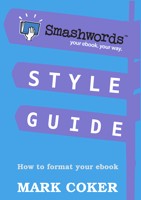
If you’re looking for the formatting guides, here's what their cover art looks like.
Good luck. You CAN do this!


 If you’re only tidying your book’s formatting, focus on using page breaks not “returns” at the end of chapters, using
the ruler at the header on top of the Word file to set your indent instead of
tabs or five spaces on the space bar, and make sure you don’t have random “returns”
or “spaces” scattered throughout the novel. To see where they are, all you have
to do is click the paragraph icon in the “paragraph” box and you’ll see all the
hidden formatting. Unclick it when you’re done and the marks will hide
themselves again. (This is in the 2007 version of Word—it’s there in earlier
versions too, just look for it.)
If you’re only tidying your book’s formatting, focus on using page breaks not “returns” at the end of chapters, using
the ruler at the header on top of the Word file to set your indent instead of
tabs or five spaces on the space bar, and make sure you don’t have random “returns”
or “spaces” scattered throughout the novel. To see where they are, all you have
to do is click the paragraph icon in the “paragraph” box and you’ll see all the
hidden formatting. Unclick it when you’re done and the marks will hide
themselves again. (This is in the 2007 version of Word—it’s there in earlier
versions too, just look for it.)